2026.02: Quick Add for Android, Calendar/Today, Numbered Lists, Code and Quote Blocks, and more
Rodolfo Lopez
Quick Add for Android
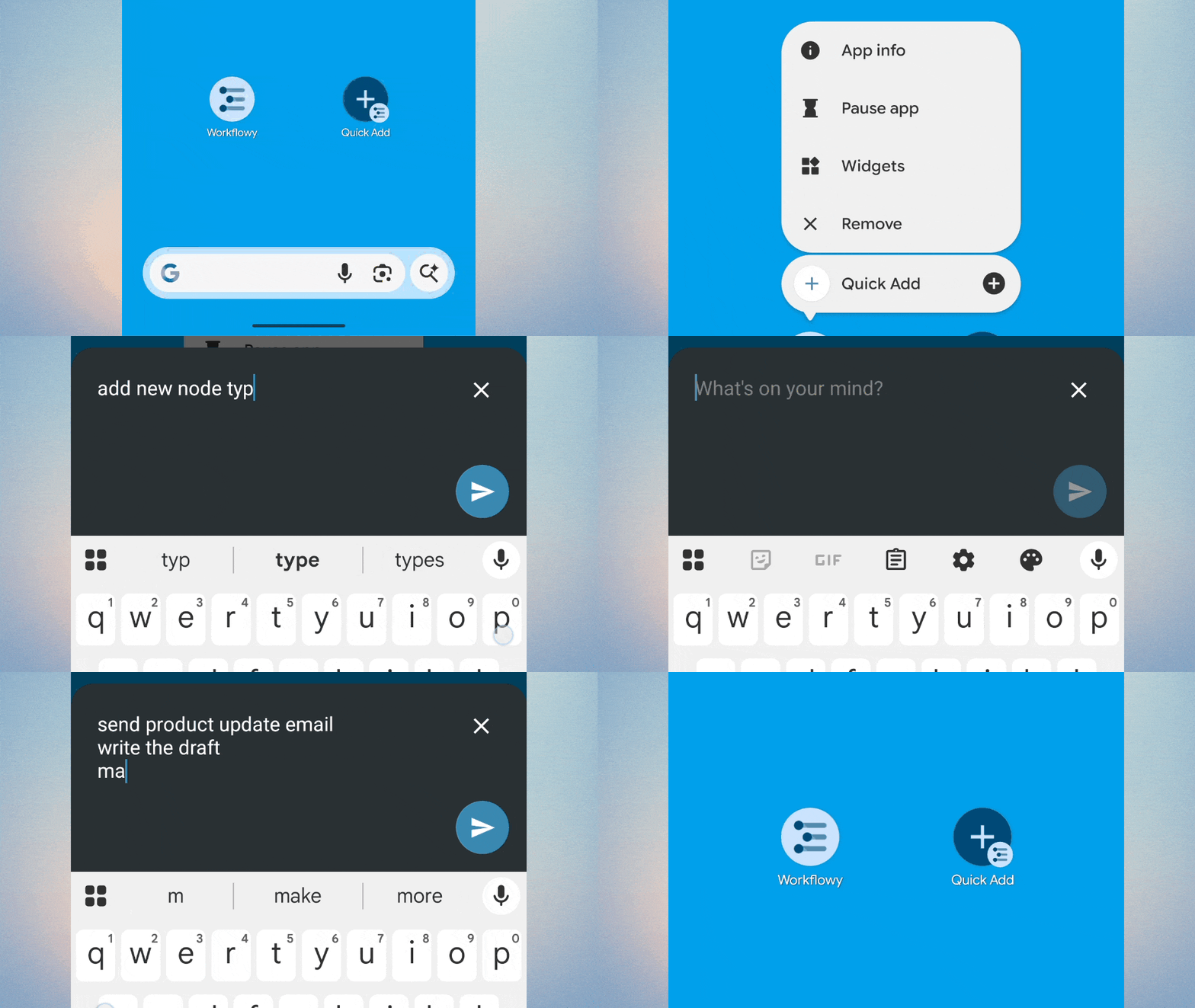
Capture thoughts instantly with Quick Add for Android. Get ideas out of your head and into WorkFlowy, then get back to that much more important thing you were doing.
Long-press the WorkFlowy app icon to access Quick Add, or add the widget to your homescreen for faster access. Press ‘Enter’ to turn following lines into sub-bullets.
Supports text and links and Android-only for now.
Calendar / Today
Drag nodes to the Calendar icon in the left sidebar to quickly move them to Today.
The Calendar Picker now includes Found Dates so you can see what’s coming up.
Found Dates now supports Date ranges, with nodes appearing for each day.
Found Dates now show in mirrors of the ‘Today’ node.
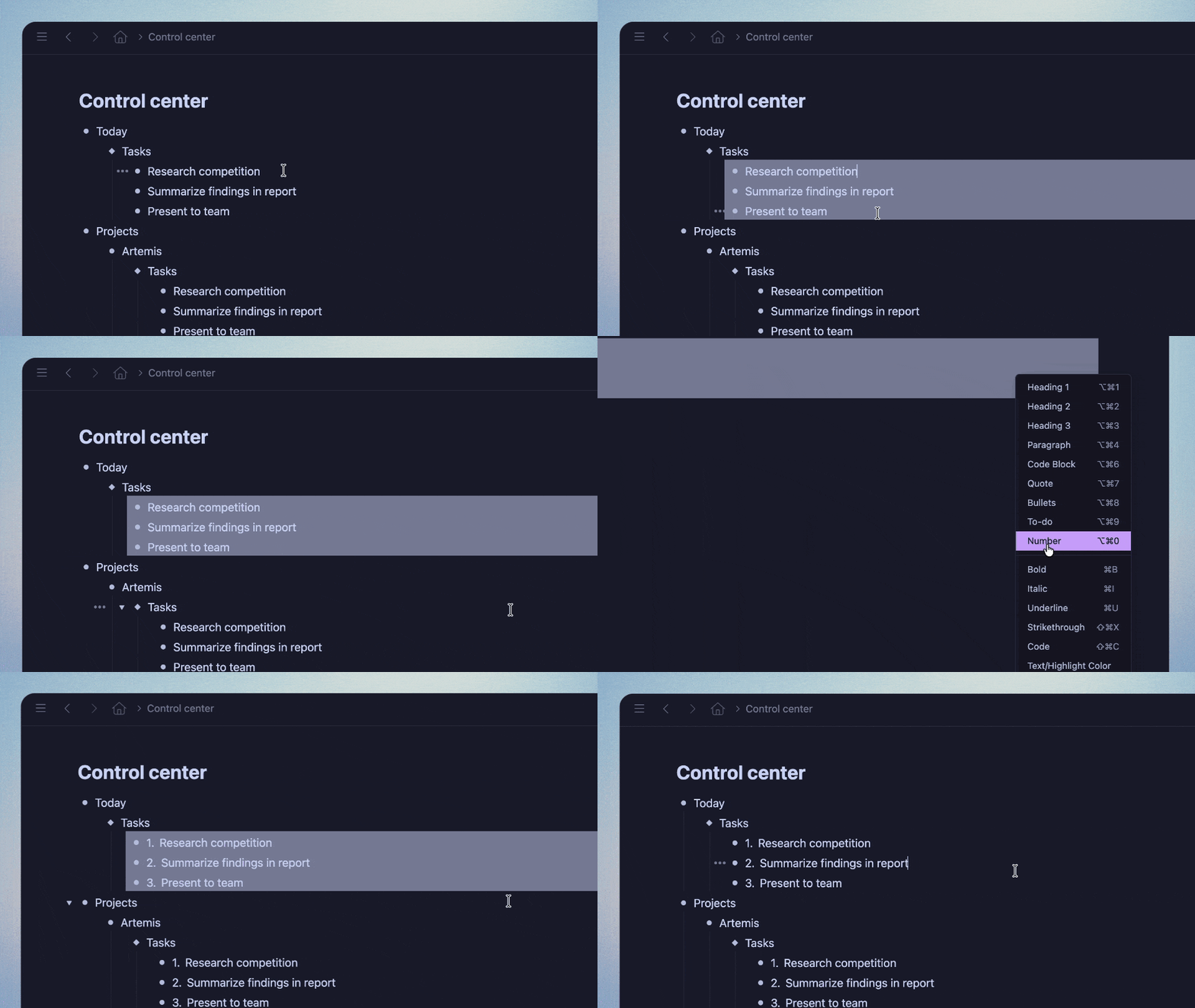
Numbered Lists
Turning a numbered node into another type now updates properly in Mirror copies.
Fixed wrapping issues with 4-digit and longer numbered lists.
Numbers at the start of bullets from before the Numbered List item type are now preserved when converting to Numbered Lists.
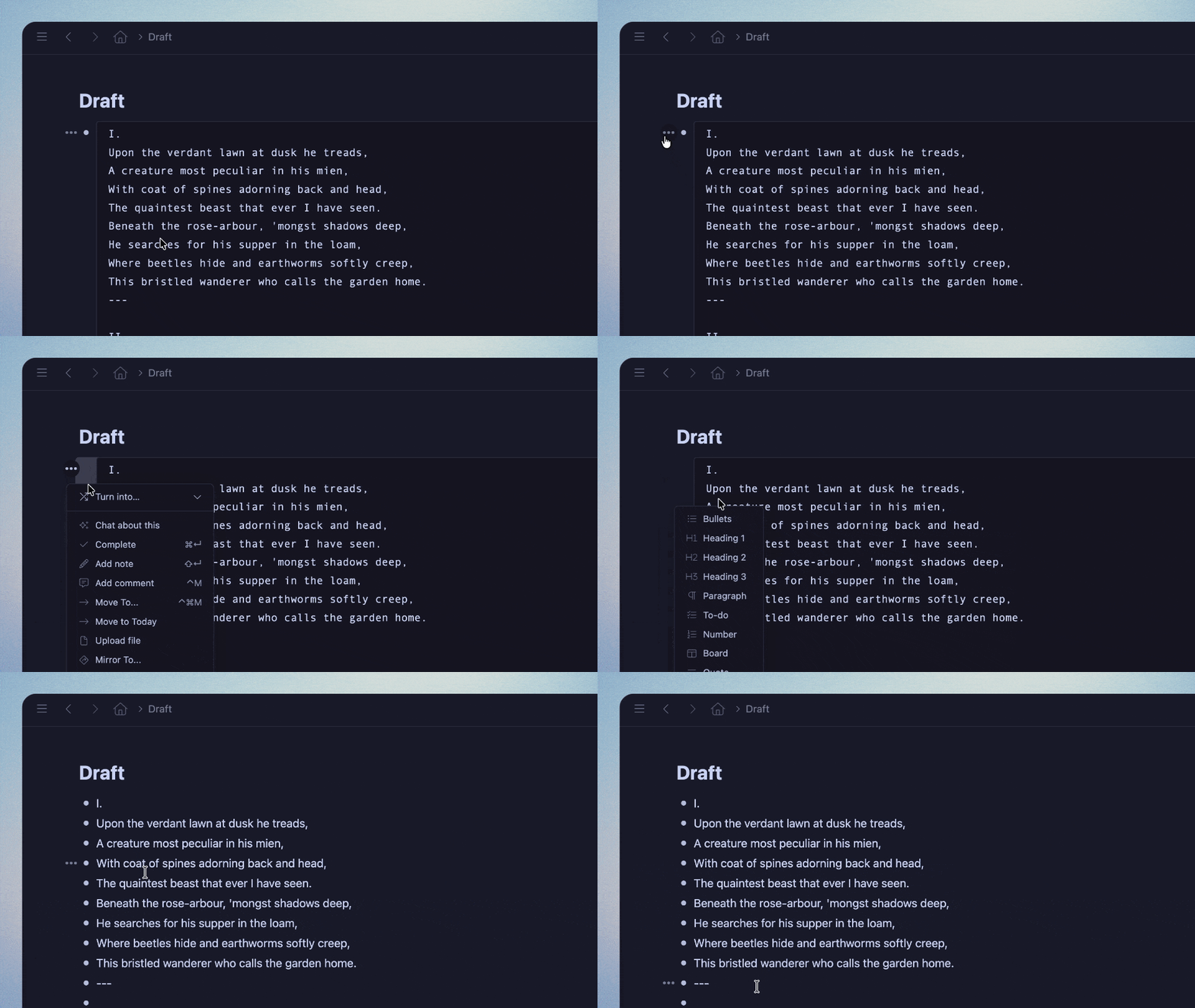
Quote and Code Blocks
Converting Code Blocks & Quotes back to another item type now properly separates line breaks into individual nodes.
Converting multiple nodes into a Code Block or Quote now combines them into one block with line breaks.
Code Blocks display # and @ tags properly
General Fixes
iOS: Searches using quotes (“”) now work with Smart Punctuation turned on.
iOS: The Copy button in the Export screen now works reliably.
Fixed a bug where applying colors to hashtags with double quotes would make that color unavailable for text highlighting elsewhere.
Fixed text wrapping on Todo nodes with long text.
Fixed scrolling in the Add from Template search menu.
Mirrors are now highlighted when using a nested search.
Improved case sensitivity handling for languages like Turkish
Fixed unexpected behavior when copying colored text