
Quick Add for Android
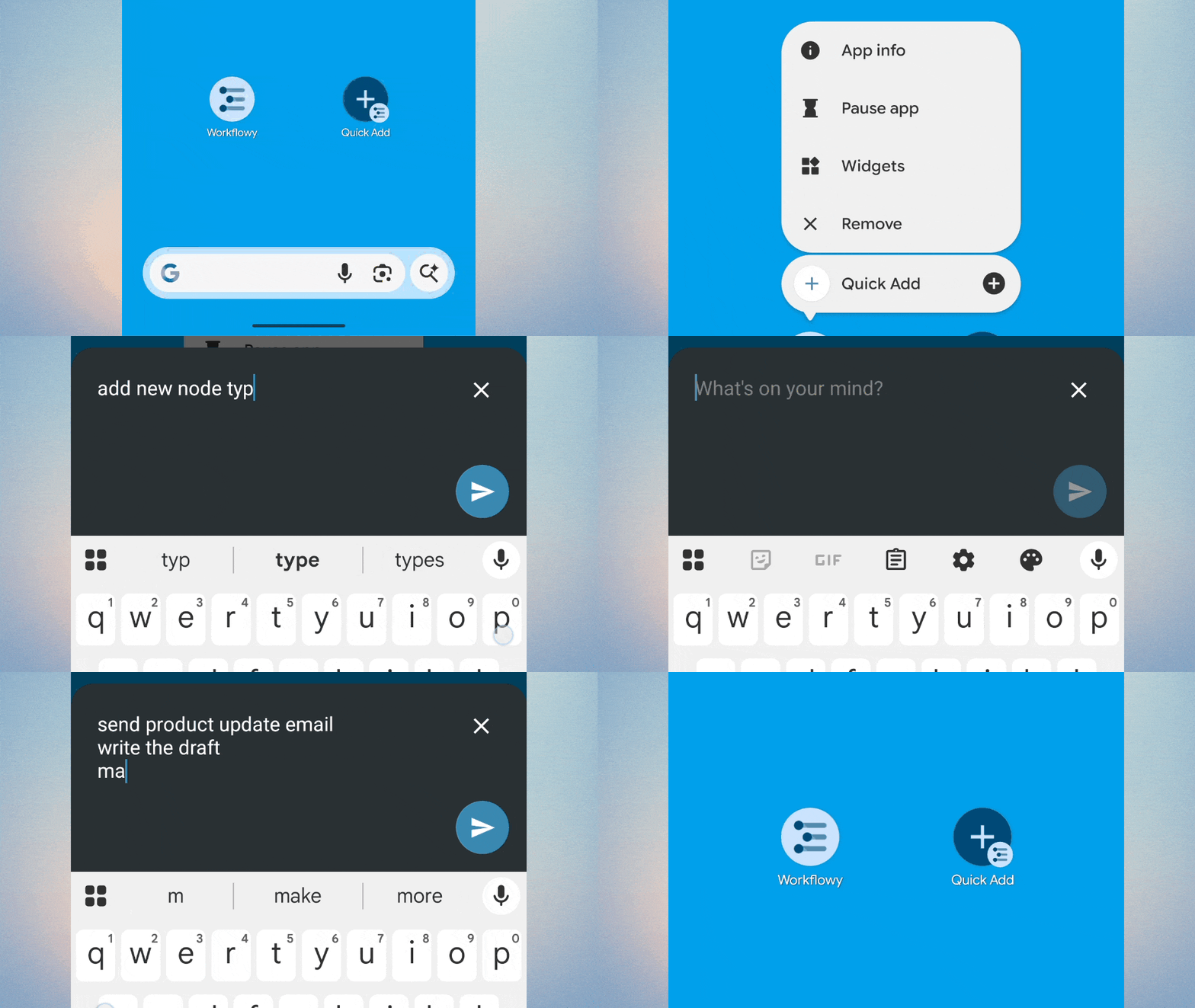
- Capture thoughts instantly with Quick Add for Android. Get ideas out of your head and into WorkFlowy, then get back to that much more important thing you were doing.
- Long-press the WorkFlowy app icon to access Quick Add, or add the widget to your homescreen for faster access. Press ‘Enter’ to turn following lines into sub-bullets.
- Supports text and links and Android-only for now.
Calendar / Today
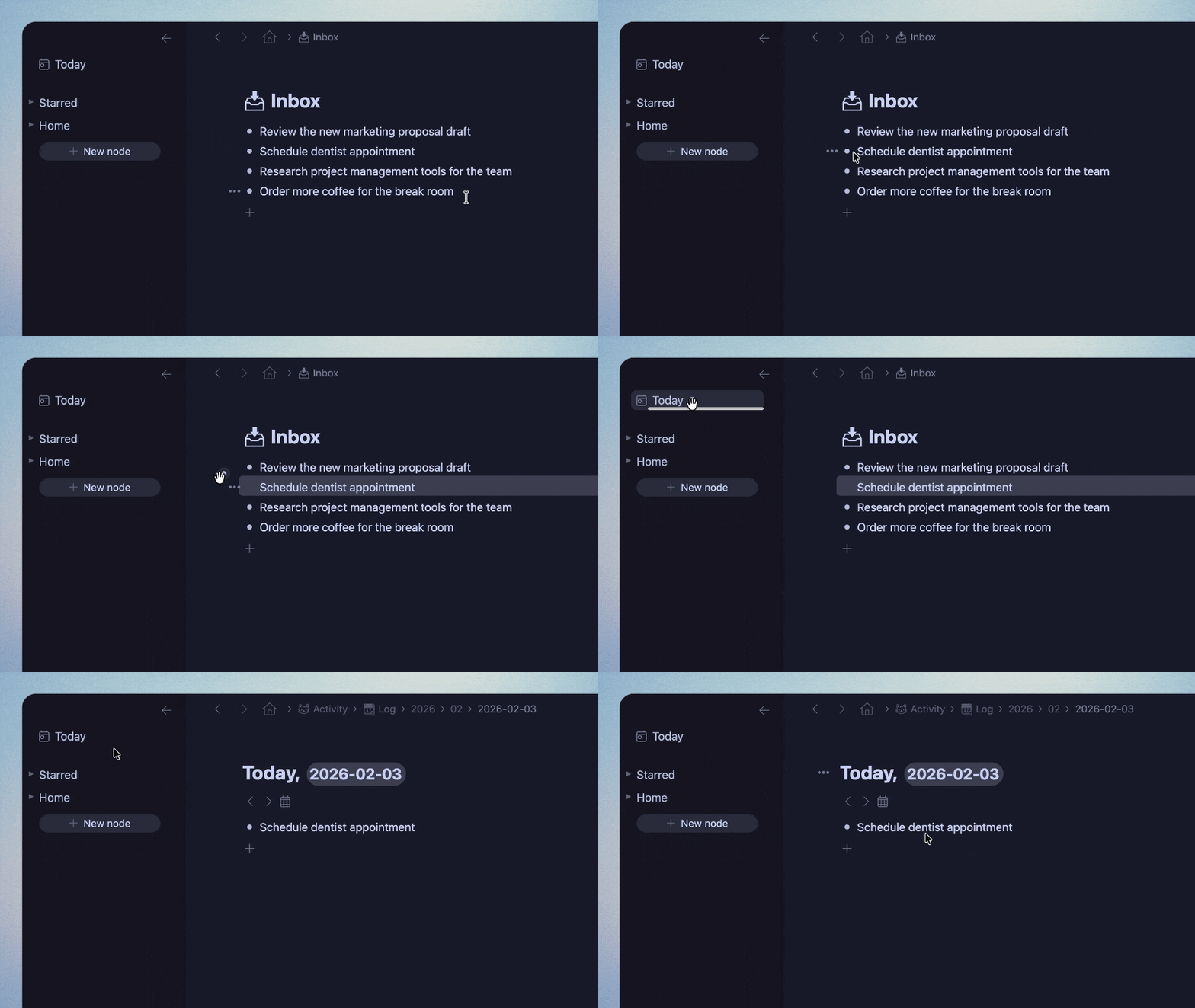
- Drag nodes to the Calendar icon in the left sidebar to quickly move them to Today.
- The Calendar Picker now includes Found Dates so you can see what’s coming up.
- Found Dates now supports Date ranges, with nodes appearing for each day.
- Found Dates now show in mirrors of the ‘Today’ node.
Numbered Lists
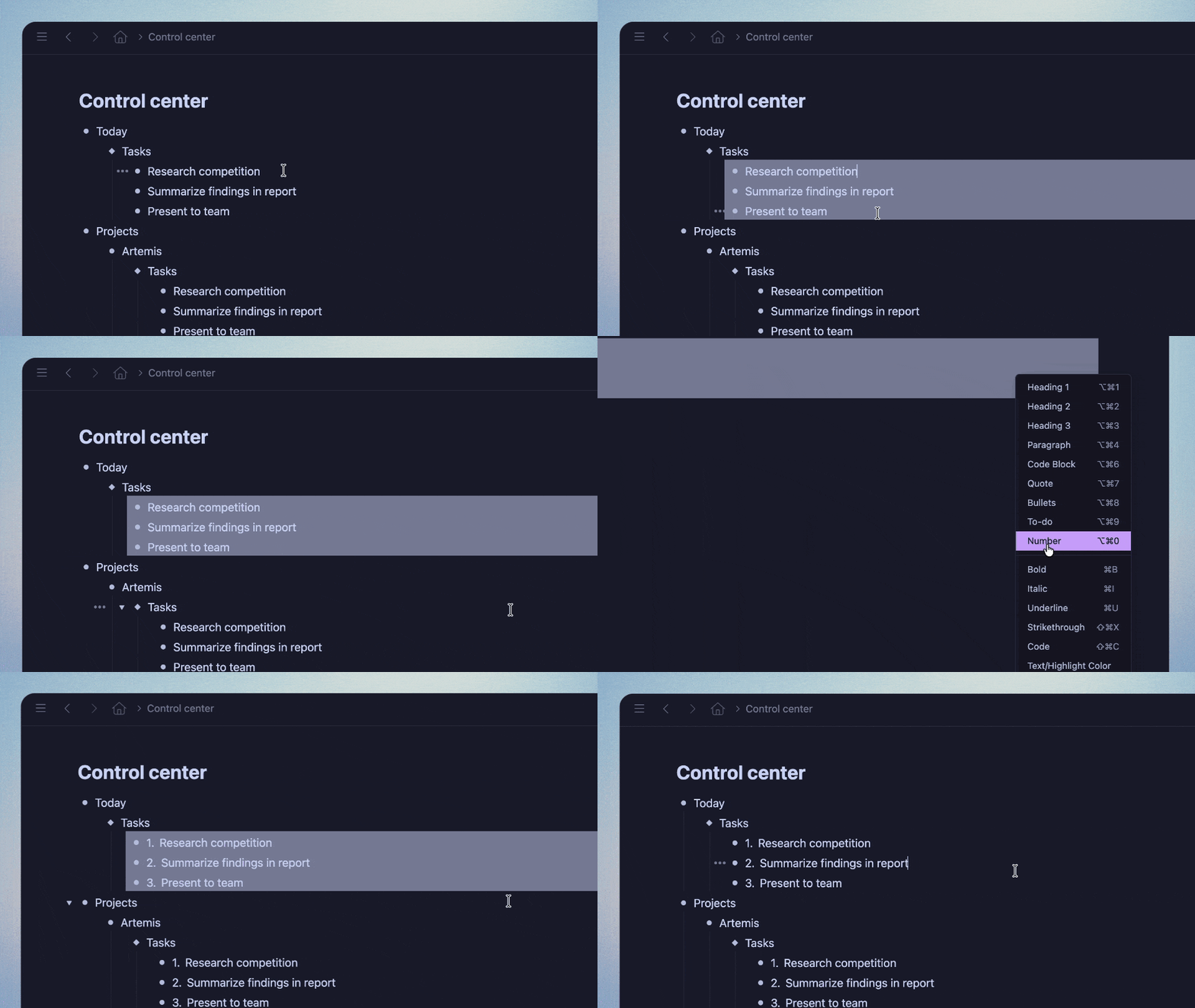
- Turning a numbered node into another type now updates properly in Mirror copies.
- Fixed wrapping issues with 4-digit and longer numbered lists.
- Numbers at the start of bullets from before the Numbered List item type are now preserved when converting to Numbered Lists.
Quote and Code Blocks
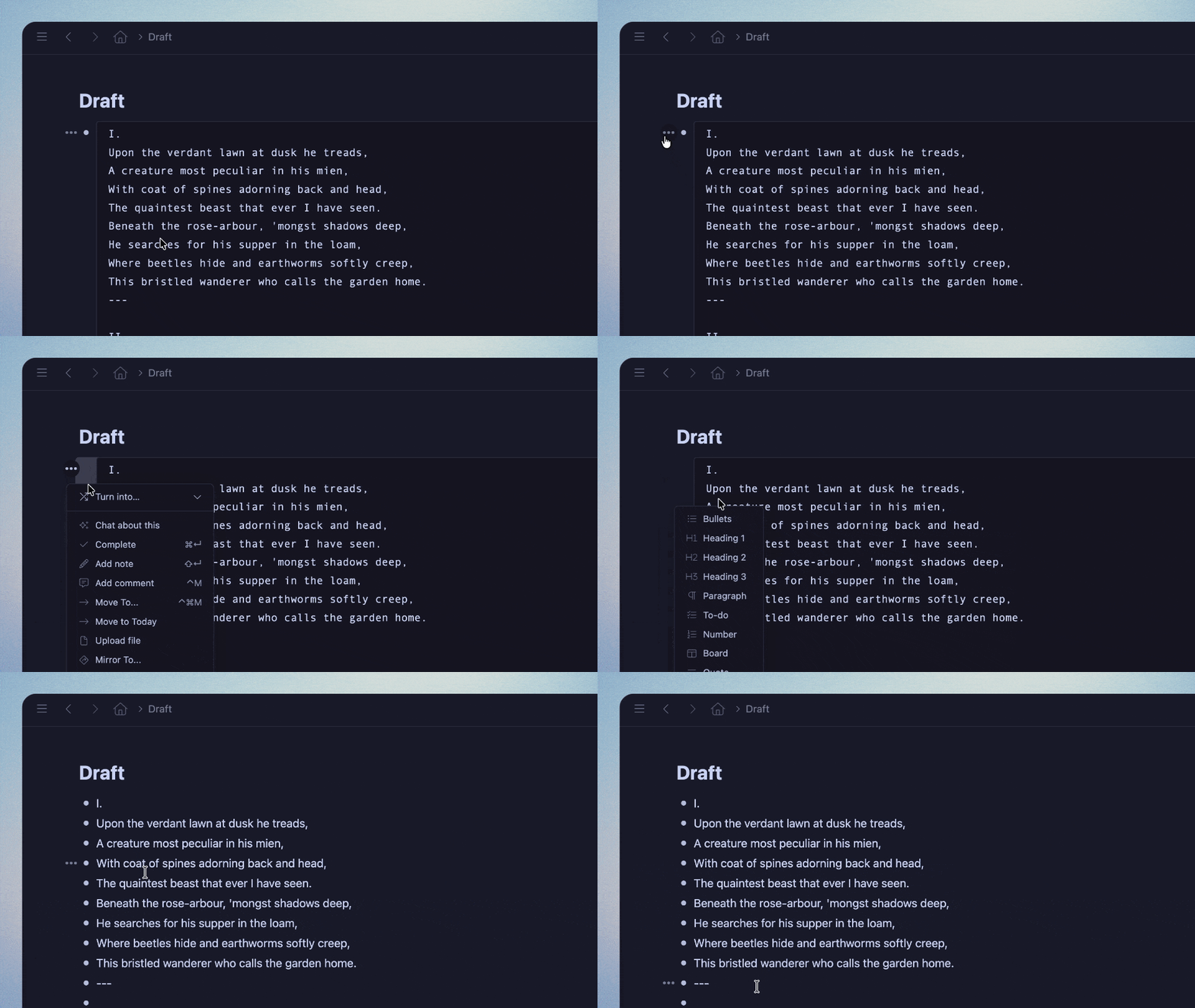
- Converting Code Blocks & Quotes back to another item type now properly separates line breaks into individual nodes.
- Converting multiple nodes into a Code Block or Quote now combines them into one block with line breaks.
- Code Blocks display # and @ tags properly
General Fixes
- iOS: Searches using quotes (“”) now work with Smart Punctuation turned on.
- iOS: The Copy button in the Export screen now works reliably.
- Fixed a bug where applying colors to hashtags with double quotes would make that color unavailable for text highlighting elsewhere.
- Fixed text wrapping on Todo nodes with long text.
- Fixed scrolling in the Add from Template search menu.
- Mirrors are now highlighted when using a nested search.
- Improved case sensitivity handling for languages like Turkish
- Fixed unexpected behavior when copying colored text
Doc Changes
- Added Using Workflowy page
I love how Quick Add on Android makes capturing ideas so much smoother—long-pressing the app icon is way faster than opening the app each time. The date range feature in Found Dates is also a small but game-changer for planning. If you’re into quick, smart task tracking, this kind of flow really helps stay on top of things.
Great update! I would love if instead of to Inbox, Quick Add would add the item to today’s node in the Calendar. That would support more of a journaling workflow.
Great update! Among Us
Suggestions and Thoughts on Bidirectional Links
– Workflowy’s Internal Logic: The internal logic of Workflowy is quite rigid. Data migration is practically impossible, and the cloud export functionality isn’t great. We can only hope for a functional and “normal” logic to work with, but it’s clear that support for @ is currently better than for #.
– My Requirements: I have two specific needs based on bidirectional links. After using Roam Research, I really admire how smoothly they create links. To adapt to this, I’ve made some modifications in Workflowy by using the [[#]] syntax to create links. This allows me to aggregate every tag onto a unified notes page, improving the experience in two ways:
1. Displaying All Tags: Workflowy’s readability suffers as the number of tags grows. The search bar at the top isn’t enough to cover a large number of tags, which is contradictory since Workflowy uses tags as its primary aggregation method. This new method solves that.
2. Rapid Information Aggregation: Workflowy is already strong at aggregating information, and bidirectional links make this even stronger. However, since there is no “page” concept—only “bullet” points—referencing via bidirectional links often brings in irrelevant content. I know notes with bidirectional links get higher search priority, but that’s not enough. When I create similar link names, even just around ten, the search box can’t cover it, resulting in too many possible references. The recommendation mechanism doesn’t solve this. If I can use a tag as the starting point (like #), it acts as an initial filter, ensuring the link I get is definitely from the notes page, not some random bullet.
– The Current Experience: To be honest, this method isn’t elegant, but I truly believe Workflowy hasn’t explored the design potential of bidirectional links enough. This feature never feels fully integrated or natural within the overall design.
– The Issue: Why am I writing to you? The [[#]] recommendation has a problem: when I type content after #, it enters a “no content” state, making it impossible to see existing links. Only after typing text does it show up. I don’t think this is a technical issue because [[@]] works perfectly, displaying recommendations immediately. My request is simple: Can we make the recommendation mechanisms consistent? If [[#]] works like [[@]], I could seamlessly achieve referencing and aggregation. I’ve been using @ as a workaround, which is okay, but # is definitely more convenient.
– Another Feature Request: I’d also like a “Replace Link” function. This would allow replacing one bullet’s link with another, ensuring that even if I create multiple similar tags, I can merge them later for better backlink organization. This is an extremely useful and necessary feature in any tool with true bidirectional links. Roam Research and Logseq have it. I think it could be implemented even better in Workflowy because of its unified architecture, but it’s been missing for a long time. Just putting it out there for consideration!
Widget sur iPhone ?
Great! Thank you!