
Tables
You can now turn any node into a lightweight Table, giving you a more structured way to organize plans, trackers, comparisons, and small databases.
A Table is still a list underneath. A node’s children become rows, and each row’s children become cells. Workflowy also adds a header row with blank cells so you can name your columns and give your notes more structure. You can turn a Table back into a list at any time.
You can drag and drop to reorganize rows and columns, move cells, or replace one cell with another. You can also sort, duplicate, and use different node types, such as To-dos, inside headers and cells, so your tables can become working plans, checklists, trackers, or drafts.
You can paste content from Excel, Google Sheets, Markdown, or TSV (tab-separated values) into a Workflowy Table and when you want to share or work with other apps, export to HTML, Markdown, or TSV.
To try it, choose “Table” from the “Turn into” option in the node menu, or type /table.
Other improvements
- Mobile: Sync problems are now detected, shown, and recovered more reliably.
- Calendar: Fixed a Found Date bug that caused a calendar day node to appear inside another calendar day node.
- Fixed: Tag search results now expand parent nodes so matching nodes are visible.
- Fixed: Damaged images and files no longer break file uploads or previews.
- Fixed: Moving nodes on mobile no longer leaves a phantom bullet stuck on the screen.
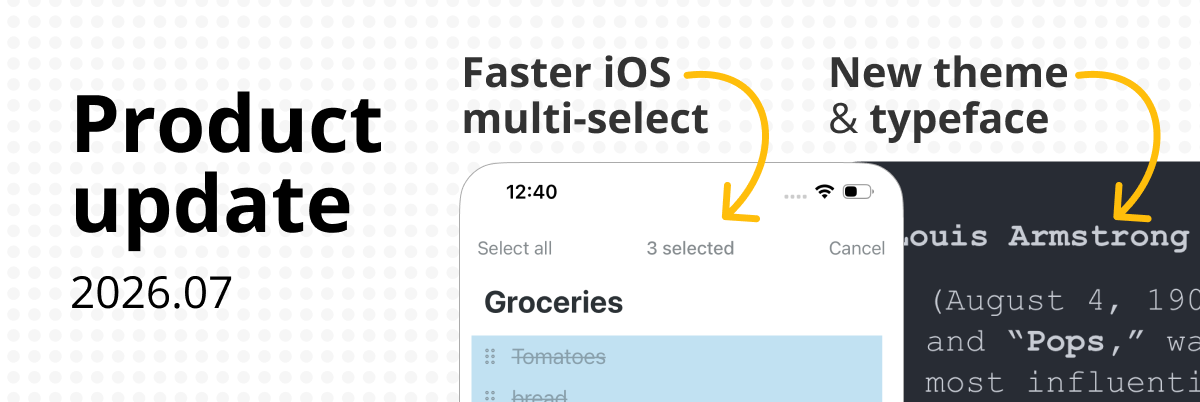
- Added a Bold font, making your content ultra-readable.
- Link and highlight colors work in search and menus for the Vintage, Wood, and Steel themes.
- Fixed: External links in the desktop app now open consistently in your web browser.
- Export: Unicode letters are now allowed in export filenames.
- Dropbox Backup now retries if a system error stops it, rather than silently failing.
- Mobile network failures during signup and login are handled more quietly and reliably.
It is fascinating to see how list-based apps evolve with new table views and visual layouts. After taking in all those software details, unwinding with a simple, friendly match of Basket Random is just a great way to chill.
Love the new table features! It really enhances the whole organizing experience. Got me thinking about how tools like this can boost productivity everywhere, even for gaming at fnaf. Thanks for sharing!
When your power finally dies, you are left completely vulnerable in the darkness. You hear the doors open and footsteps approach from both directions. Fnaf games delivers its most terrifying moment right before the end.
Genial.
Some levels require you to be very careful as you move thru narrow hallways, while others require you to make quick space waves changes to avoid tricky groups of obstacles.
I am SO GRATEFUL for this app! I don’t know how you keep on coming up with ways to make it better, but you continually DO! Workflowy is my Command Central for everything in my life – and I absolutely LOVE how it intuitively “thinks” the way I do – linearly. But I also LOVE that it tolerates and supports “multi-branch” thinking, which I do with your amazing Mirrors feature, which is the most fantastic thing ever invented! i’m sorry – I can’t control my hyperbole when it comes to Workflow – It’s just SO DAMN SMART!!! Thank you, THANK YOU!!