


Hello,
This month, we’ve made improvements across Workflowy, from editing and navigation to mobile, sync, boards, files, and help.
Sync and sign-in
- If your internet drops, Workflowy now reconnects more reliably so new changes sync better.
- Verification code fields now support autofill on supported browsers (including mobile Safari).
Mobile
- Fixed: Hiding the keyboard or switching apps on Android no longer does weird things to editing and searching.
- iOS keyboard suggestions now work correctly when Workflowy capitalizes the first word of an item.
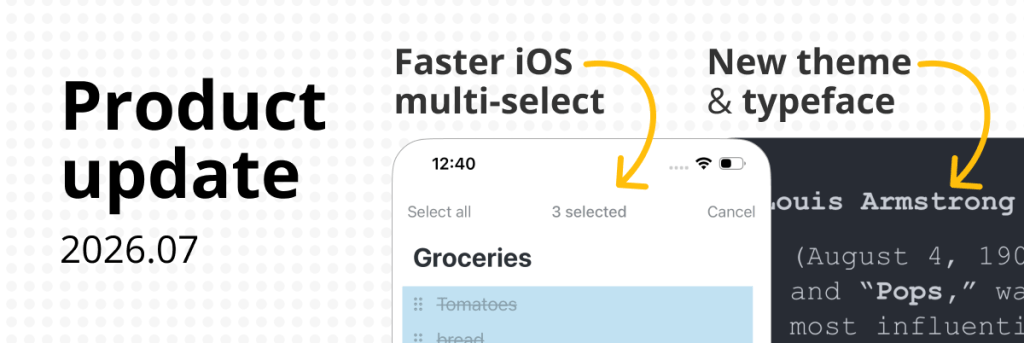
- Long-pressing a node immediately after opening the mobile app now shows the multi-select menu.
- The ‘Add from Template’ picker on mobile now closes properly.
Editing and navigation
- When completed items are hidden, completing several items in a row now keeps the cursor on a visible item.
- Copying or cutting text from a zoomed item title now preserves its formatting instead of making it bold.
- The Date Picker and Calendar Picker are now fully keyboard accessible.
- Large menus and dropdowns now stay on-screen and scroll when needed.
- macOS: Using the arrow keys or pressing Enter in the emoji picker no longer moves the Workflowy caret or creates unwanted bullets.
Boards, mirrors, and files
- Exports now include mirrored descendants even if they weren’t expanded on screen.
- Creating a card now expands its board column, including in mirrored boards, so the new card is visible.
- Undoing a File upload no longer leaves a missing file placeholder.
Appearance
- New theme and typeface: One Dark theme and Courier New typeface.
Help and documentation
- You can now search Workflowy Help docs
- Tidied up Zapier docs
- Help docs are now available in Spanish, French, Japanese, and Korean.