
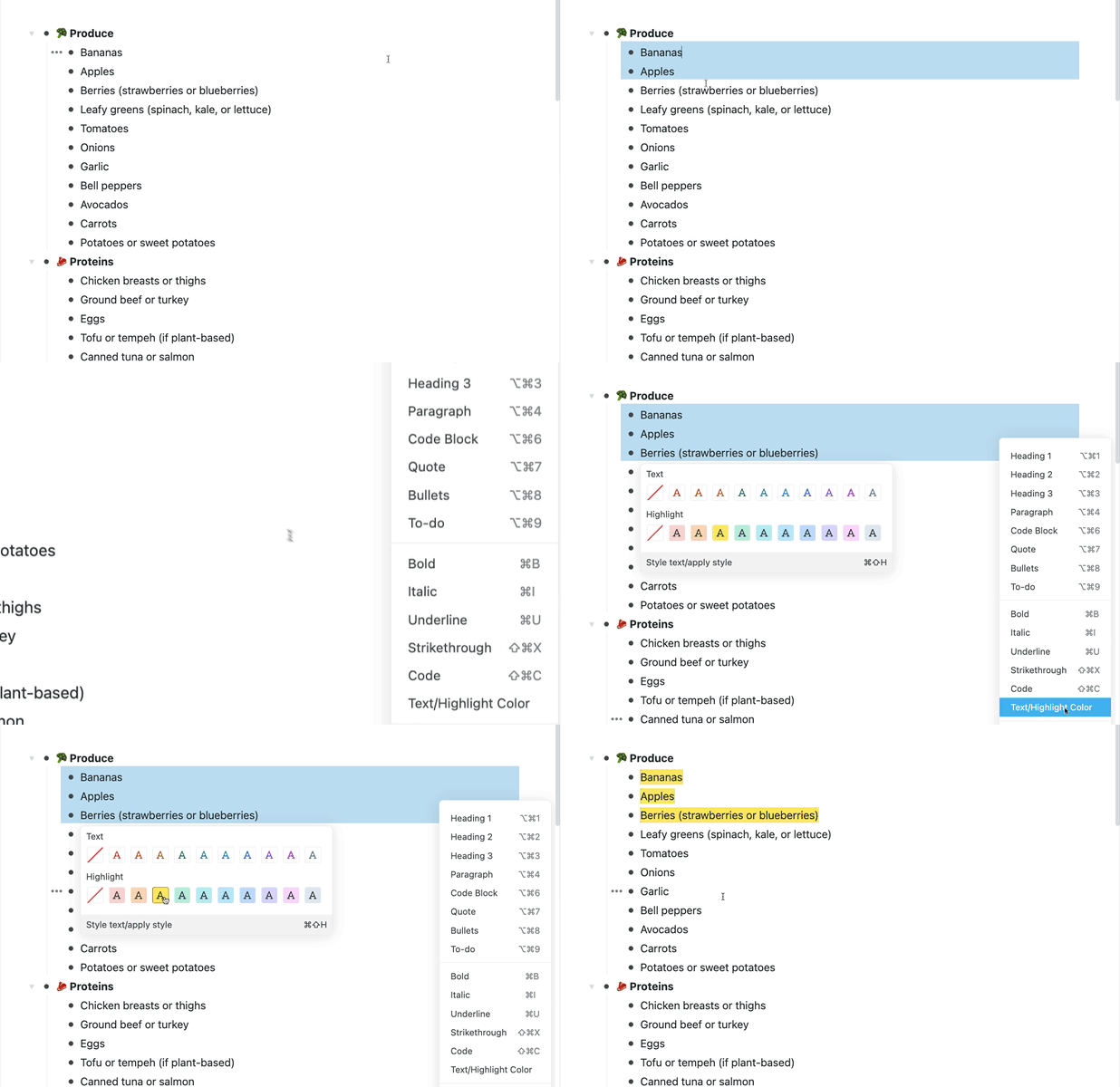
Ever wanted to color or highlight multiple bullets at the same time? Now you can. Select several bullets, then bold, italicise, color, or highlight them together from the multi-select menu.
Dividers now look like Dividers in the side-bar. No more weird “Untitled” nodes.
Tapping a Divider whilst scrolling on Android used to pop open the keyboard and interrupt your flow. That’s now fixed.
Let us know what you think!


This is no longer working for me. 🙁
Hi!
The dividers are great 🙂 and the option to do things to multiple bullets at the same time is very useful :).
My colour&style-change-related improvement requests?
-> I’d love ALL the currently selected bullets to change colour/style, not ‘just’ the ones on the highest selected level.
-> Also… the option to colour/highlight all future ‘child’ nodes the same colour as the ‘parent’, especially if the parent is formatted as a heading.
-> aaaaand…maybe also the means to add a background colour instead of highlighting the words.. as in, for each column of a board, or all the nodes under a heading. Then I could move bullets between areas and the colours would automatically still match 🙂
🙂
Keep up all the great work!
Windows: When I select multiple items the dropdown list appears but it is so long the bottom items are out of screen and there is no way to get to them. I cannot choose the Color item from the bottom of the menu because I can’t see it.
Excelente !!!!
I vote for thicker dividers. They are barely visible on Android.
Divide and conquer!