
Hey there Workflowy folks, this week we have some useful mobile improvements, especially for Android users. As always let us know what you think by leaving a comment below!
Mobile improvements
- You can now share images directly to your Workflowy inbox on Android. Just long-press an image, tap Share, and select Workflowy.
- When sharing on Android from apps like Google Keep, the original note title is now preserved in Workflowy.
- Fixed an issue on Android where shared text duplicated the first line or got truncated.
- Fixed misaligned text when dragging a node on iOS and Android.
- Sign in with your Google account on Android.
Miscellaneous improvements
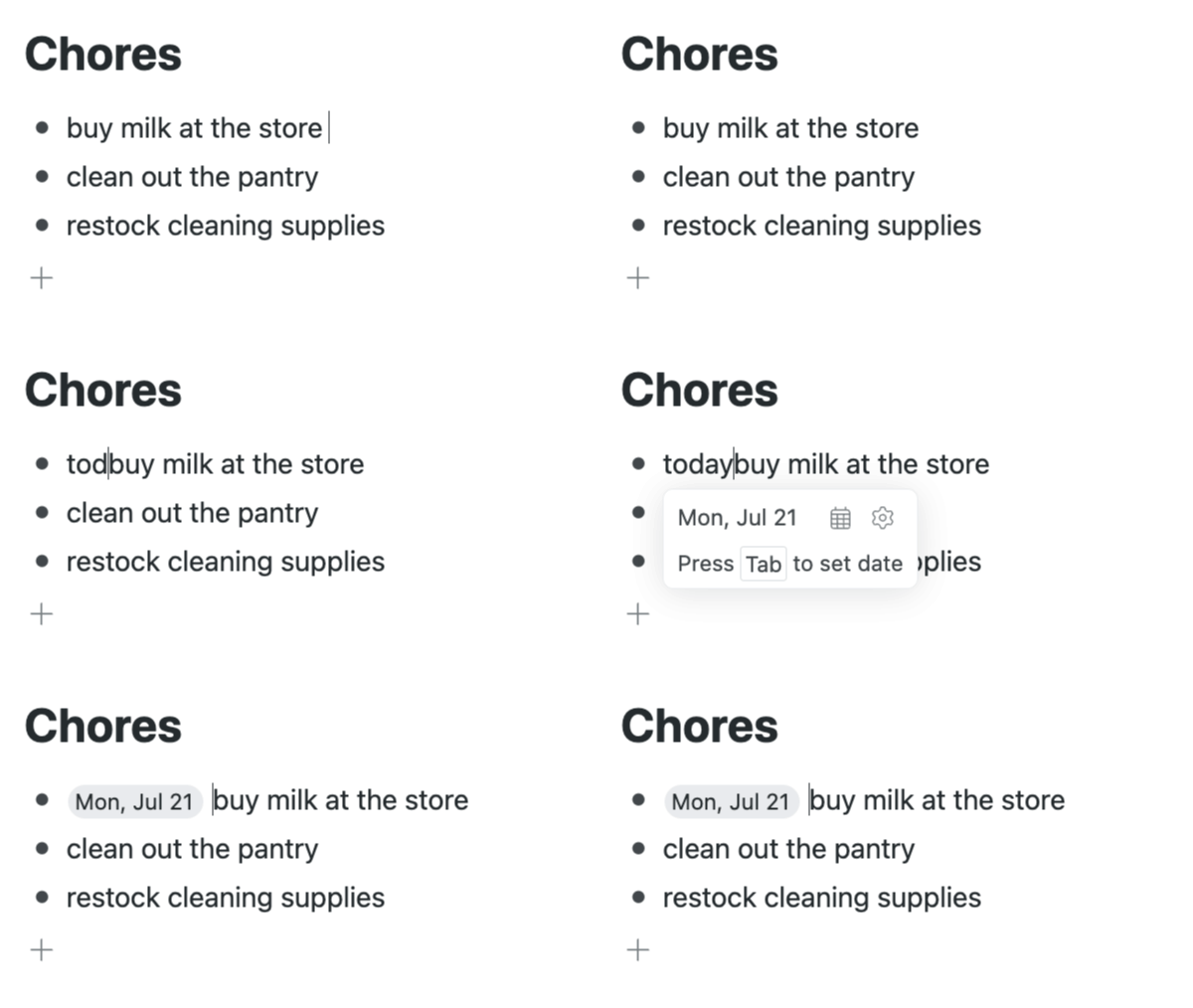
- Date keywords that run into another word – e.g.
today|Buy milk at the store– now trigger date auto-complete. - Added a link: search operator to find specific URLs, even if the link text has been changed.
- The Focus button in Chat with Your Notes now looks like… an actual button.
Until the next one!
Thanks for consistently rolling out useful improvements—they genuinely make working in Workflowy smoother. Really looking forward to AI-powered features. Great work!
That’s a fantastic addition! I take screenshots of various things like boarding passes, car reservations, etc. and being able to put them in Workflowy instead of some other app means I can get rid of the other app because that’s basically all I was using it for.
Great!!!
This is a very welcome improvement!
Just to say that these recent “Patch notes” updates are truly amazing. That’s the difference between a do-all app and a do-all-great app.