
Google Calendar Sync
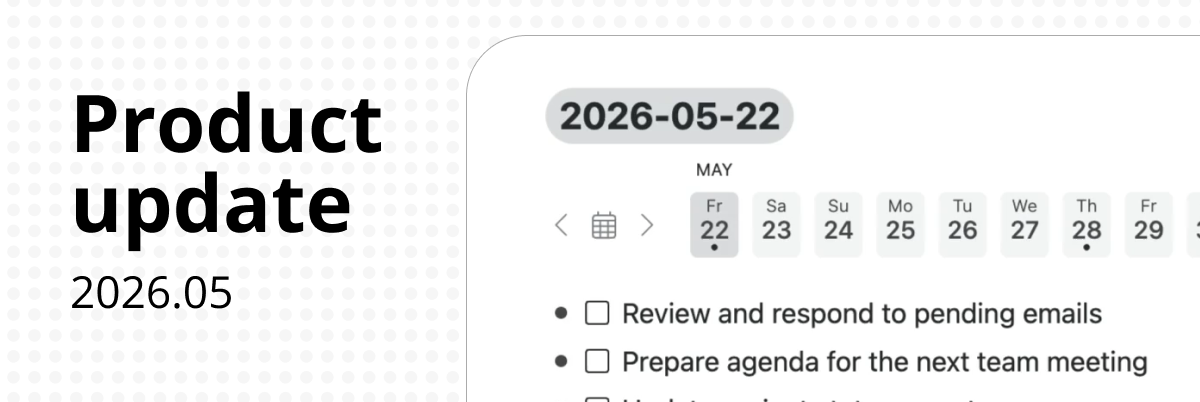
Connect your Google Calendar to Workflowy and your events will appear automatically in your Calendar node.
With your tasks, notes, and schedule all in one place, Workflowy becomes a single place to plan and organise your day. No switching between apps to figure out what’s next.
Choose which calendars to sync and see event details and join Google Meet calls directly.
Note: requires Workflowy Calendar to be enabled.
workflowy.com/integrations/calendar
Improvements
- Found Dates now supports date ranges, including date ranges in the Notes field.
- Fixed a bug where dated Mirror nodes appeared as Found Dates even when the setting was disabled.
- Mirror To Date now works for all node types.
- Fixed: Unsharing a node now correctly removes the blue halo.
- Fixed an issue where users with access to a shared node incorrectly saw a “Removed by owner” message.
- Sorting a Numbered List now correctly places numbers before non-numeric characters.
- Fixed: The To-do node type now works in the multi-select menu.
- Keyboard shortcuts are now visible in the multi-select menu.
- Fixed: The @, tag, link, and mirror buttons are now inactive on empty nodes in the mobile keyboard accessory.
- Fixed a scrolling issue with boards on mobile.
Doc Changes
- New workflowy.com/help/ section
So there’s no bidirectional sync or task sync yet? Are there any plans to add these features?
Great update!! Thanks for coming up with all the innovative solutions.