
You can now select multiple items in WorkFlowy. This is one of the most exciting features we’ve released in a long time. For new users, it should just feel obvious, it should clearly work this way. For existing users, it should it should be a great relief.
It was quite complicated to implement, but it greatly improves the ease of managing and re-organizing WorkFlowy lists. Further, it is one of the last major barriers to WorkFlowy feeling like a true text editor, which is one of our overriding goals.
There are a bunch of ways to select things:
- Click and drag over all the items you want selected
- Hold alt (control/command on Mac) and click to select random items
- Hold shift and click to select all items between where the cursor is and your second click
- Hold shift and use the arrow keys
- Hold control/command and press “a” twice to select all visible items (the first “a” selects all the text in the current item)
Once you’ve selected some lines, you can complete, move, delete, cut, copy, indent and paste them.
We’ve tried to copy the behavior of text editors and file systems, the two areas where this type selecting action is most common. Hopefully you find the feature intuitive and useful. We’re certainly enthralled with it.
Update: An important component of this feature that I forgot to mention in the original article is exporting. Once you select some lines, you can copy or cut them, and then paste them to an external program. Much easier than an export dialog.
Multi-select…FINALLY! Thank YOU!
Love it! Keep up the fantastic work workflowy!
I’m a long time user of Workflowy for outlining ideas, but just recently began using it as a GTD tool. I continue to be impressed by how much you guys are doing to make this the most elegant and parsimonious productivity tool around. Keep it up!
Happy happy! You guys rock. An issue report, however — I seem to have lost the ability to control-click on a misspelled word to get suggestions.
Thanks Maria! We’re working on fixing this.
I love you 🙂
Reblogged this on Williamo's Blog.
Thank you, love it! Thanks for making such a useful tool to capture ideas.
Oh thank you. Answered prayers!
I use WF for everything!!! WorkFlowy v. (Any other productivity app) WF every time.
Thank you so much! Just yesterday, I tried to delete my hidden completed items for the first time. After about five minutes of one-at-a-time deletions, I gave up. And then you release this feature….an answered prayer!
Cool new feature. What do you think about some how being able to sort by date bullet created?
I think sorting in various ways is an important feature, for sure. Not the current most important, but something we definitely plan on implementing.
yeah! I am glad that you are putting in a sorting features eventually. That will be very useful. I love love love this upgrade. Great job! I”m looking forward to seeing what you guys come out with next. I hope it is reminders and appointments. Thanks for all your hard work and this super helpful tool!
OMG. This is freaking awesome. THANK YOU!
Thanks!
Sometimes you don’t know you missed a feature until you get a chance to play with it. This is awesome. Still waiting on some others … but I dunno, I may have to go Pro…
Another great feature added to a great tool. WorkFlowy is now well on its way to become the best thing since… well… coffee! Thanks for all the work you’re putting into this.
This is awesome! Thanks so much!
Great! Thank you so much!
i seriously didn’t think you’d add the feature anytime soon. the service is already one of a kind as it is and many other such providers see no need to do more. but this is awesome. everything i thought or wanted it to be and a bit more. your ideas for integrations are always. so. great~ first chance i have after earning some online, i’m donating. that after getting the one-time payments omm and pinboard. or maybe before. donation is donation afterall.
can i suggest a feature here? often pages are unloaded and reloaded. and frequently. given new items go on the bottom (because edits go down rather than up), one needs to manually re-scroll all the way down making for serious obstruction on longer(rrr) pages. is it possible to make this happen automatically onload? going home appears to have no hotkey and to search the full database, one needs to go there. one extra click that is no want. ..i’ll love anything that enables for more lazy really haha..
other features that are absolute love: search has a date filter. and that starred pages remember collapsed nodes status. sometimes wish the earlier was more accessible, maybe a mini form on the side when said star-panel is open?
just three minutes into daily routines, discovered that when a node is selected, one needs to hover and select the node bullet itself for dragdrop actions to activate. thank you again for serving a need that we absolutely needed before we ourselves knew it. and..i didn’t know until today, basic formatting features had been added. whut. sorry, fangirling in progress. might as well get it all out before retreating to do this or that for who knows how long again..
stated wip that we’re Really looking forward to: customizable tag list. it would be interesting to see how you incorporate it into workflow given usually growing tags and statistics are such a bane to productivity. ideas are already flying..aliased tags? rightclick menus? hierarchy? sidebar? tagclouds? autotag when on search filter? <33
Great news! Congratulations to the team! I am a new user and am very impressed with the simplicity and ease of WorkFlowy. This new feature has added more productivity.
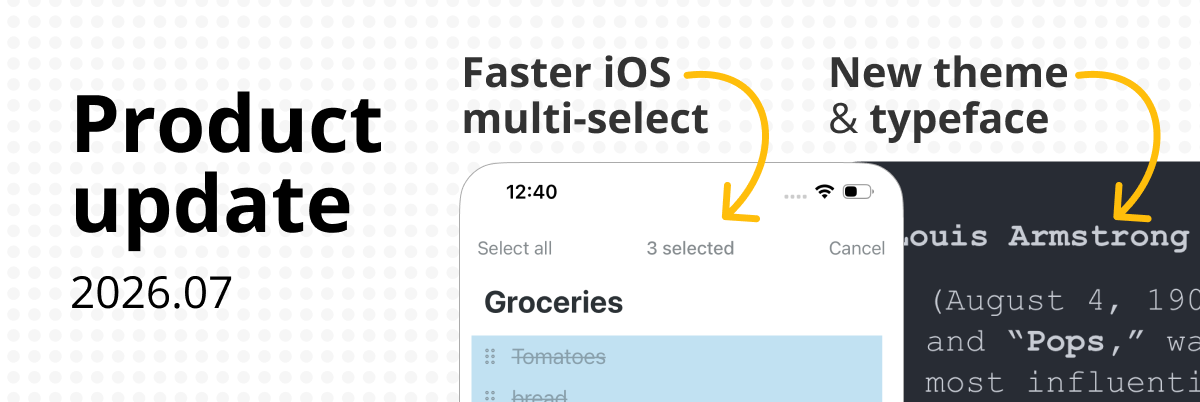
WOOT! Completely awesome!! Any chance of this making its way over to the iOS app? Workflowy is THE command center on my phone – but multiple UNcompletes (say, after having finished a checklist and wanting to reset it) is kind of a huge pain when you have to go line by line – causes me to revert to CarbonFin Outliner. This functionality could get me to port everything over.
Thanks again
This is brilliant – well done to the Workflowy team! 🙂
Great feature, need to update the keyboard shortcuts cheat-sheet though
Rápido,
con elegancia,
siempre mejorando,
gracias.
Great! Really really great!!!
Thumbs up for listening to your customers, and building the most requested feature!
Wow thumbs up for listening to your customers, great new feature!
Amazing… that’s the one thing that was missing from workflowy to make it the perfect task/list organizer. Keep up the good work!
Thank you Thank you THANK YOU!! Though work-around-able, this feature will make Workflowy that much easier to use. Truly the most important tool I use in the day, and getting better all the time!!
I already tried most of the shortcuts and now one of the few shortcuts left/unassigned is:
Control + Shift + UP / DOWN
What about using this shortcut to select whole paragraphs before (UP) or after (DOWN) the cursor? 😉
Thanks guys. Just in time too. About to organize our marketing section…
Nice feature! And thanks for staying so innovative! =)
Million thanks from Belgium, the Cut and Paste is now ON!!!
This is so welcome 🙂
Now can this selection be exported?
That would be even more awsome!
Yeah, it is copied to your clipboard when you copy, so you can just paste it.
Thank you for the upgrades! 🙂
Also, I would love to see a sort function in the future!
That’s really great, thank you so much! Could I ask though, that you turn this off when selecting within the same line? Its thrown off my ability to use Shift-select when I’m editing my text inline. I know I could use Shift-Option-arrows, but I prefer to place the cursor, hold Shift, and click where I want the selection to end. Thanks again!
Oh, good point. That’s a bug!
That’s awesome! The ability to cut/paste between windows (including notes, which are converted to items when exporting and pasting) is something I was really missing. Thank you!
Good job Jesse – big improvement to the browser version.
Number 1 on my wishlist: complete! Thanks!! (New number 1: hyperlinks)
Put simply …, Outstanding!
Wow. Powerful & intuitive. Beautifully implemented. Nice job!
Excellent. Does multi-line select work on iOS?
the best piece of news for the month!
YESSSSS! Thank you Workflowy!
My love for Workflowy is now beyond compare. Don’t tell my wife…she’ll get jealous.
Jus started using workflowy…awesome, awesome……
Great Upgrade!
Huzzah! Love it. Thank you! Great upgrade.
Jesse, Thanks Please, please, at some moment do implement hyperlinks [?] We love WF GR
Thank the gods! You guys are great!
Nothing else to say but…
YAY!
Oh, and
THANKS! For making Workflowy just an awesome tool!