
Calendar Found Dates
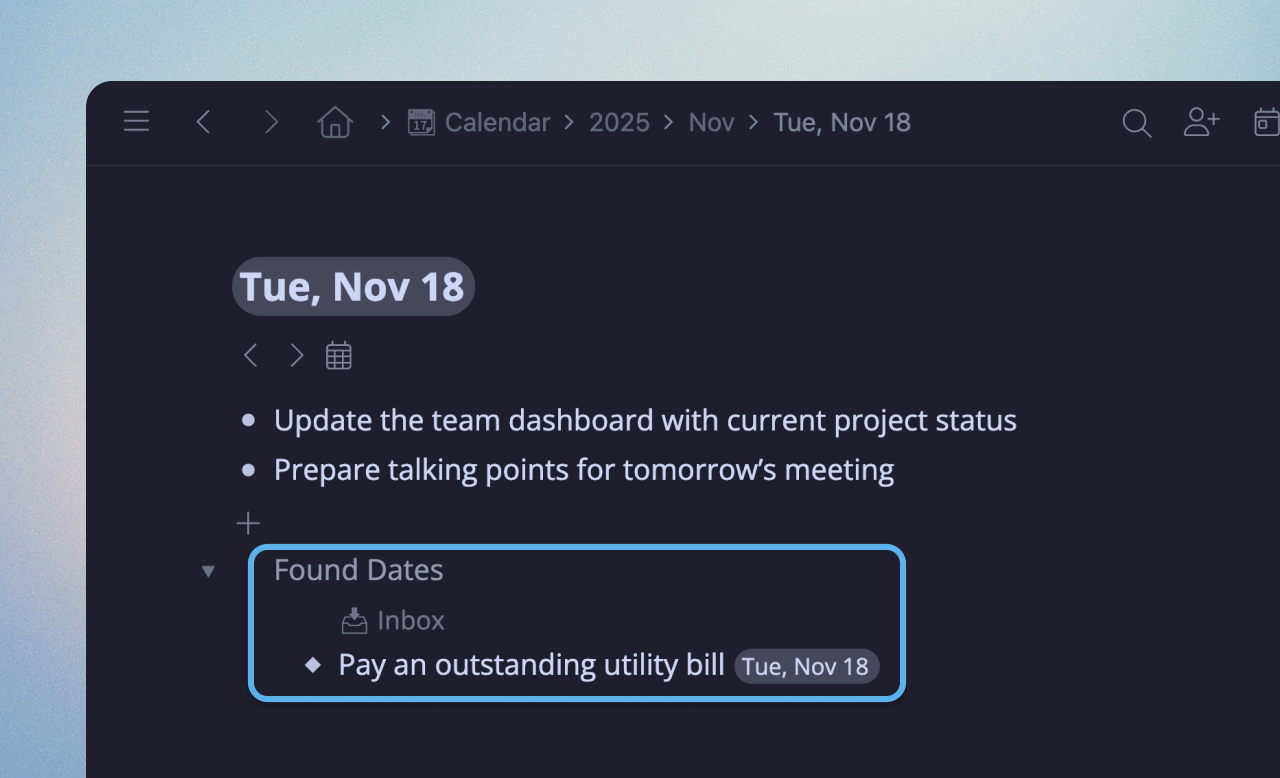
Your Calendar now shows matching Found Dates from anywhere in your account, making it even better for daily planning and note-taking.
Drag any Found Date to your Calendar day to move it there.
Personalization
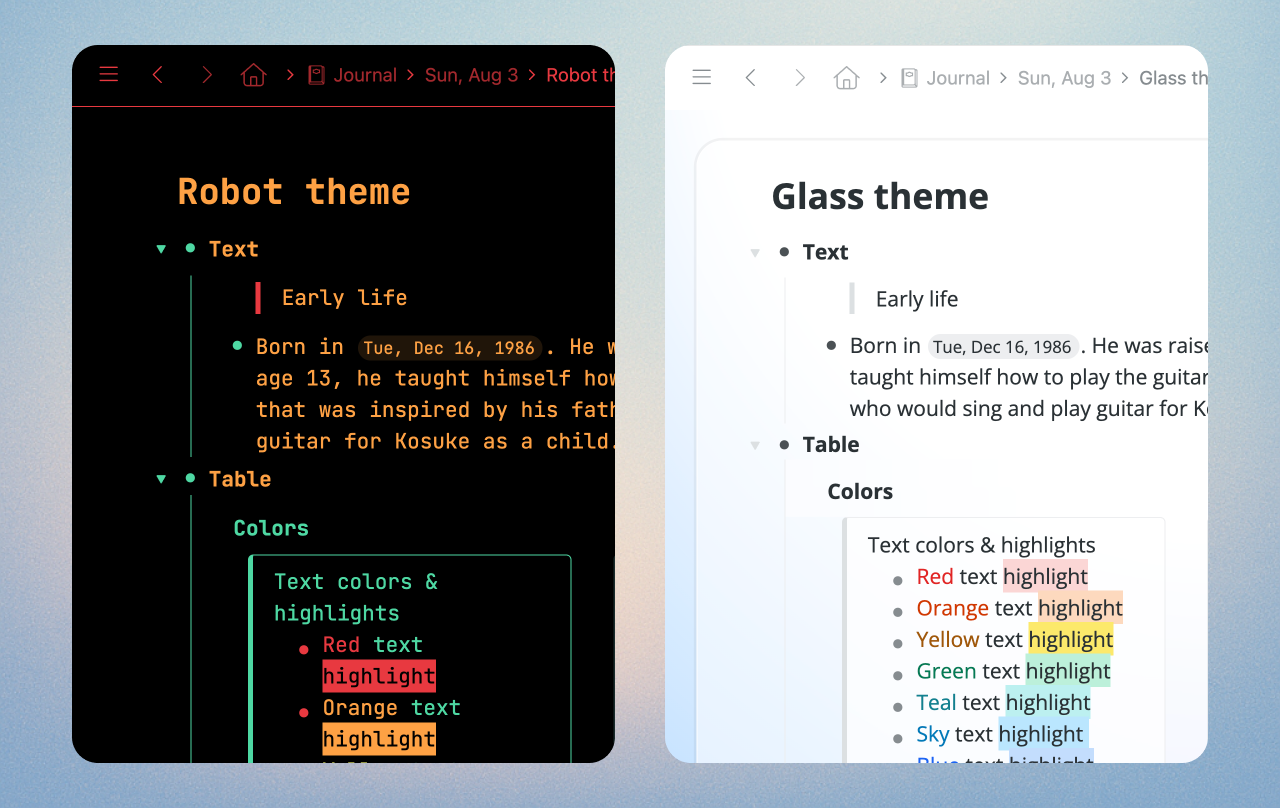
Two fresh new themes to help you make Workflowy your own: Robot and Glass.
Mirrors
Mirrors just got a little bit more reliable and useful:
- Mirror nodes now appear in search results even when ‘Show completed’ is turned off, making it easier to find all of your content.
- Moving Mirrors in the search results no longer causes them to disappear.
- Mirrors stay selected after moving a group of them, so you can keep working.
Search and Organize
- Friendly date search. Searching for natural language dates like “Today” or “Last week” in JumpTo, MoveTo, MirrorTo, and LinkTo menus now matches their corresponding dated nodes.
- Improved multi-select dragging on mobile. Drag and drop for multi-selected nodes is now more reliable and you can drag bullets from different indent levels under a single node, and they’ll flatten correctly as expected.
- Board columns no longer glitch when a collaborator is editing a shared board at the same time.
- Better nested search. Nested search now supports multiple words. For example, searching
Projects>Write draft -todaywill match nodes containing both “Write draft” and “-today”.
Thanks!!
Ah les dates, mais c’est excellent !!!
Grave 🙂