
How to reorder your starred items

How to star an item
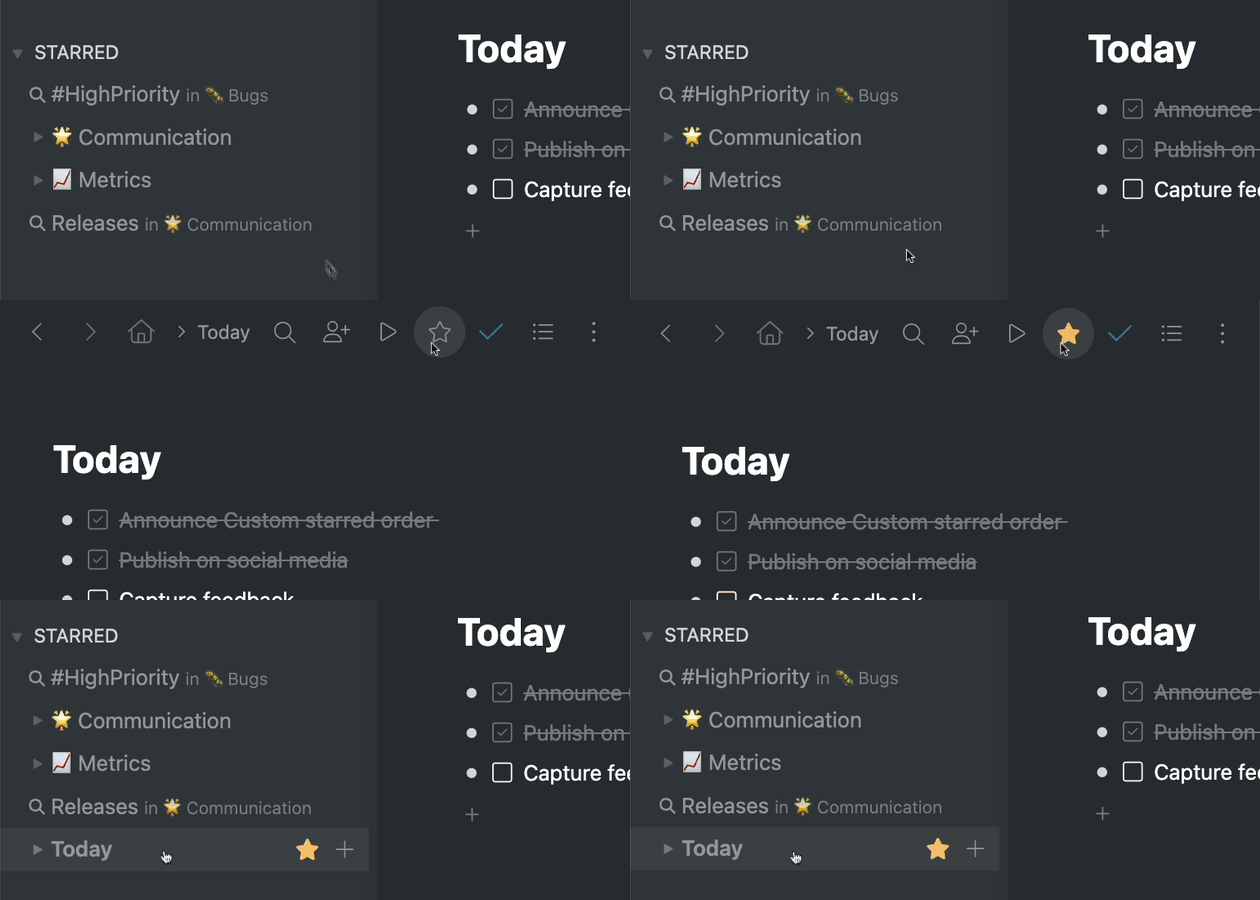
Hey Workflowy folks, today we’re adding the ability to reorder all the items in the starred section of the sidebar. This means you can drag and drop any item in your starred section to place them in a new order. Previously, items were shown in the starred section based on the order they were starred in. This meant the starred items were not always ordered in the most useful way.
If you’re not familiar with starring items, you can do so by zooming into any item in your Workflowy account and then clicking the star icon in the menu bar. Starred items are displayed in the sidebar under the ‘STARRED’ section and clicking them takes you to that starred item.
You can also star searches to perform that search each time you click on the starred search in the sidebar. To star a search, first perform the search and then click the star icon in the search bar to save it.
And that’s it. A simple but useful feature that gives you more control over the starred section and lets you organize your starred items however you want. Let us know what you think about this feature in the comments below and anything else you think we should know.
Until the next one!

This feature is not working anymore on the web version, it seems to work only on the desktop client.
This feature was working, but it now seems broken. Does anyone else notice this?
I’ve been loving this feature but was disappointed to twice recently see the order that I had lovingly set up get scrambled — perhaps due to an update to the app? Hoping this won’t happen every time WorkFlowy is updated.
This doesn’t seem to be working for me in the desktop client on Windows. Perhaps I should add that starred items don’t appear there in the order they were starred like you said in this post; they’ve always been alphabetical instead.
Hi Everett, did you ever get a response from Workflowy? I have the exact same experience. Losing the alphabetical sort makes this whole app much less useful for me.
This is wonderful! -(on the pc only). But at the same time as this happened, the order of all the starred items on iOS, my phone, completely re-ordered itself in an apparently random way, and I can find any way to move them.
Has this happened to anyone else? And has anyone got a suggestion to fix it?
Sorry – *CAN’T find*
Hallelujah!!!! Thank you SO much for adding this feature. I’ve been longing for it for so long, and already it is rocking my world even more than I imagined. So grateful!!
After many feedbacks about this feature from six years ago until now, it has finally been implemented. However, the current drag visualisation seems to leave a lot to be desired, and it’s not very easy to determine where the drag has reached and whether it was successful. The animation seems to need some tweaking.
I also find the drag & move visualization often confusing when I want to move something into a bullet that is expanded to show its sub-bullets. Specifically, the location or “indentation” of the target destination indicator line is confusing to me. As a result, not infrequently my item ends up a level too high or too low.
love it
Love it, I had been hoping for something like this. Thanks!
It’s just what I expected 😉
Thanks
Great!
Excellent. Very much appreciated.
This is good, but it would be great if it was also reflected in the Jump To menu 😁
Finally 🙂 i think this was on many people’s wishlist
For some reason, this doesn’t work for me (yet). While I can drag the items, dropping them (like shown in the animation) simply does nothing. A hard reload didn’t do any good either. Is this bound to some of the experimental settings? I’m using Edge by the way.
Hey Frank, are you still having the issue? IF so, could you please email our support team at help@workflowy.com with your operating system and browser version?
Great add – been wanting this for a while. Thank you!
Love this! Especially because I use emojis for all my categories, but they were wreaking havoc on how the starred items got ordered. This totally solves that minor but persistent annoyance! Thank you!
👍 It works flawlessly, thanks!
Hey team, the latest update (4.0.2410071443), “has raised” the minimum requirement for MAC OSX… I only use 1-app on my mac (that’s workflowy); I would need to update my macsox (to get future updates) but I don’t know what’s the minimum requirement so I can do that… Also, how much time can I use the latest version that I have installed at the moment (Version 4.0.2410021315) before it will start having issues? Can you please provide an answer here? Thanks…
Tanx.
👏
You’re the best! Seriously!
love it!
I can’t reorder items in root/home
Hey Piotr, that’s right – you can only reorder starred items because the ‘Home’ section is a representation of your account’s structure so it can’t be changed without changing the actual structure of your account.
You should be able to star everything in Home/Root and then reorder things.
You’re the best! Thank you!
[…] […]
[…] […]
[…] […]